
Features
Everything in GymPilot. Nothing that has not shipped.
Last updated 2026-10-07
GymPilot is a workout library and planner for people who find their workouts in videos and never get around to doing them. This page covers the current version, 1.0.2, feature by feature, with nothing promised that has not shipped. The screens below were captured on an iPhone simulator running 1.0.2, with sample data.
Today, in one line
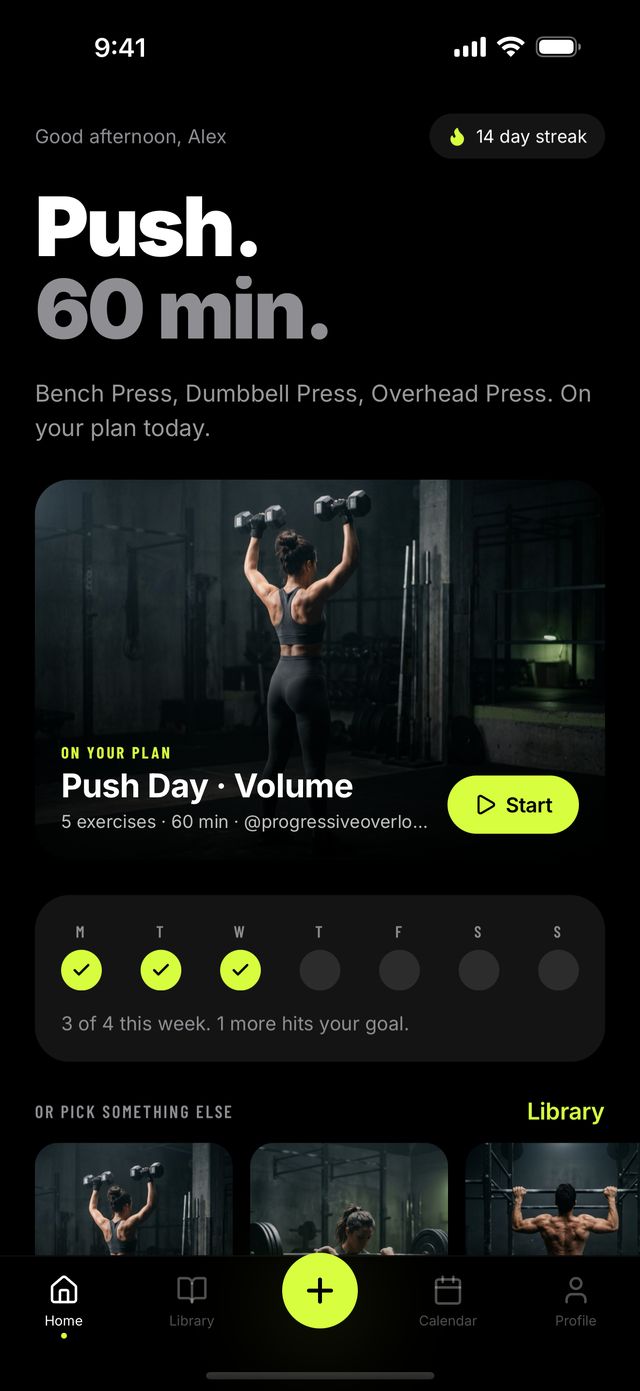
Home answers one question: what should I train today? It shows a single workout in large type, the exercises in a line underneath, and one Start button. If a workout is on your plan for today, it leads. If not, GymPilot suggests the saved workout that has waited longest. Below it sit your week, a few other saved workouts if you want something else, and at most one insight drawn from your own history, such as a muscle group you have not trained lately.
Save a workout from a link
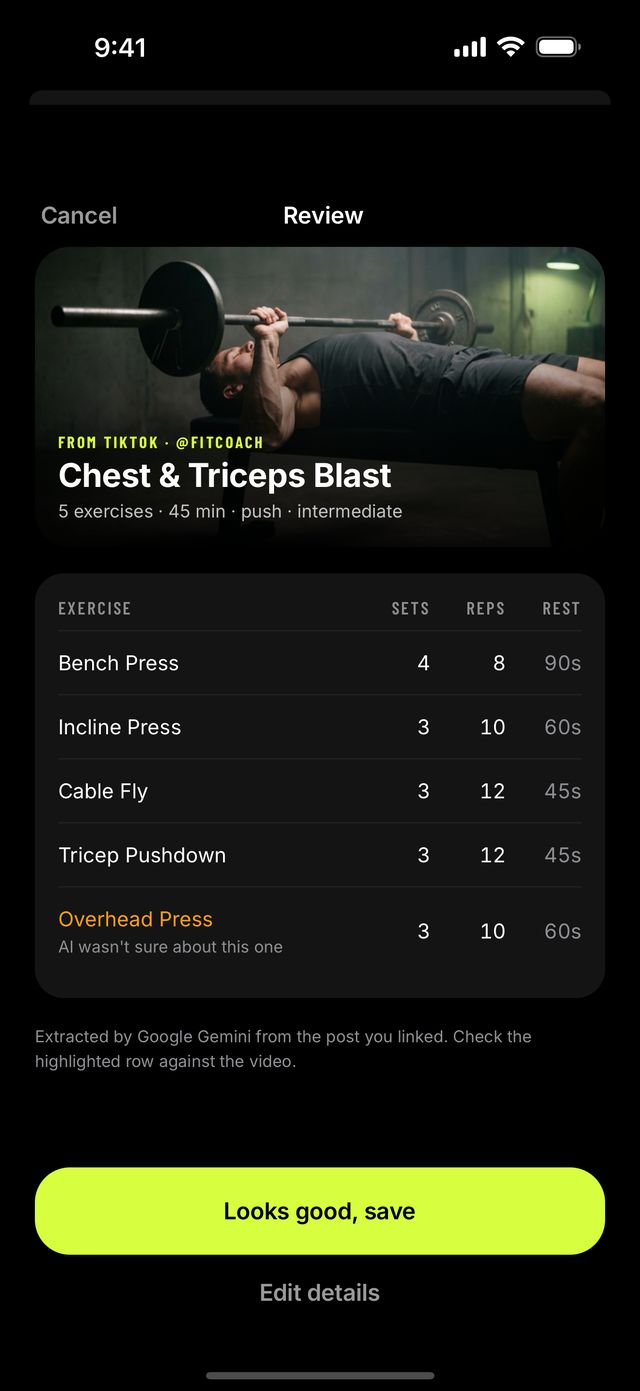
Paste or share a public TikTok, Instagram, YouTube or Facebook post. Our server fetches the post's public title, caption and up to 8 images and sends them to Google Gemini, which returns a structured workout: exercises in order, sets, reps, rest, equipment, duration and type. For YouTube links, Gemini also watches the public video itself, so a routine that is only spoken or demonstrated still comes through. Many workout posts are image carousels with the exercises written on the slides, so the images matter as much as the caption.
The result opens as a read-only table. Rows the AI was not sure about are highlighted with a note, so you know where to look. If it is right, tap Looks good, save. If not, Edit details opens the full editor, where you can rename exercises, fix sets and reps, reorder, and add what the post left out. When a post exposes very little, which happens with Instagram and TikTok posts that show the routine only inside the video, the editor opens with the title filled in and you finish the rest by hand.
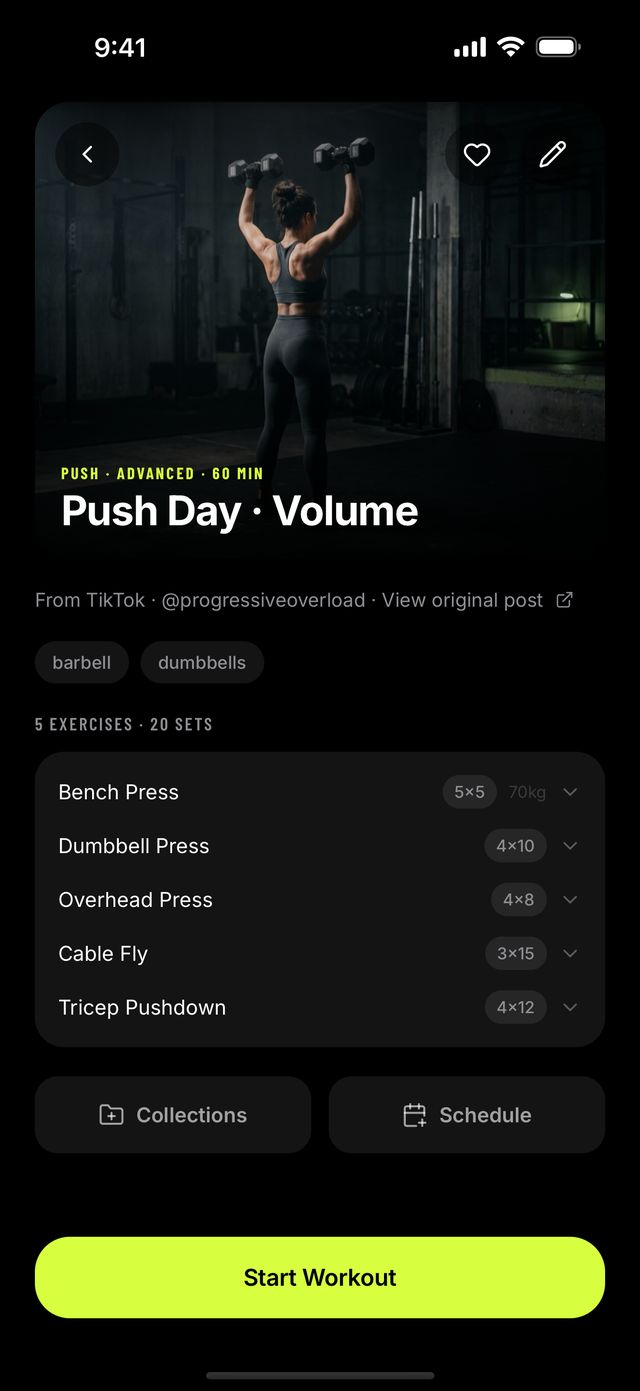
Every saved workout keeps its source: the platform, the creator's handle and a link back to the original post. For YouTube imports, an exercise can also link to the moment in the video where it is demonstrated.
What it does not do: download videos to your phone, keep copies of them, read private posts, or work around any platform's restrictions. The AI runs on our server, never on the phone.
Set by set, with a rest timer
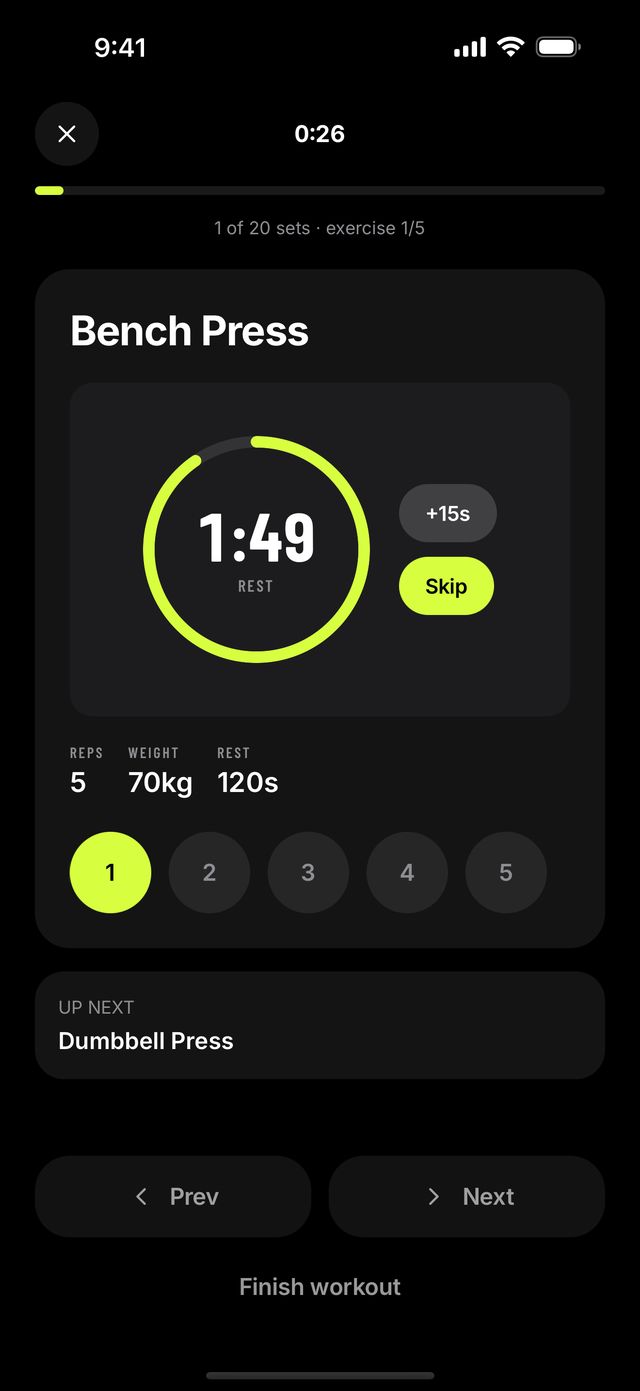
Start a workout and the player walks you through it. The current exercise, its photo, reps, weight and rest stay on screen, and each set is a button you tick as you finish it, so you never lose your place.
Ticking a set starts the rest timer on its own, using the rest time from the workout, or 60 seconds when none is set. Add 15 seconds or skip it. Un-ticking a set by mistake cancels the countdown, and there is no rest after the last set. If you allow notifications, GymPilot tells you when rest is over even with the phone locked; it never asks for that permission in the middle of a set.
Form cues for each exercise, generated by Gemini, appear on the exercise sheet with a note that they are not a substitute for a coach.
Studios and the exercise library
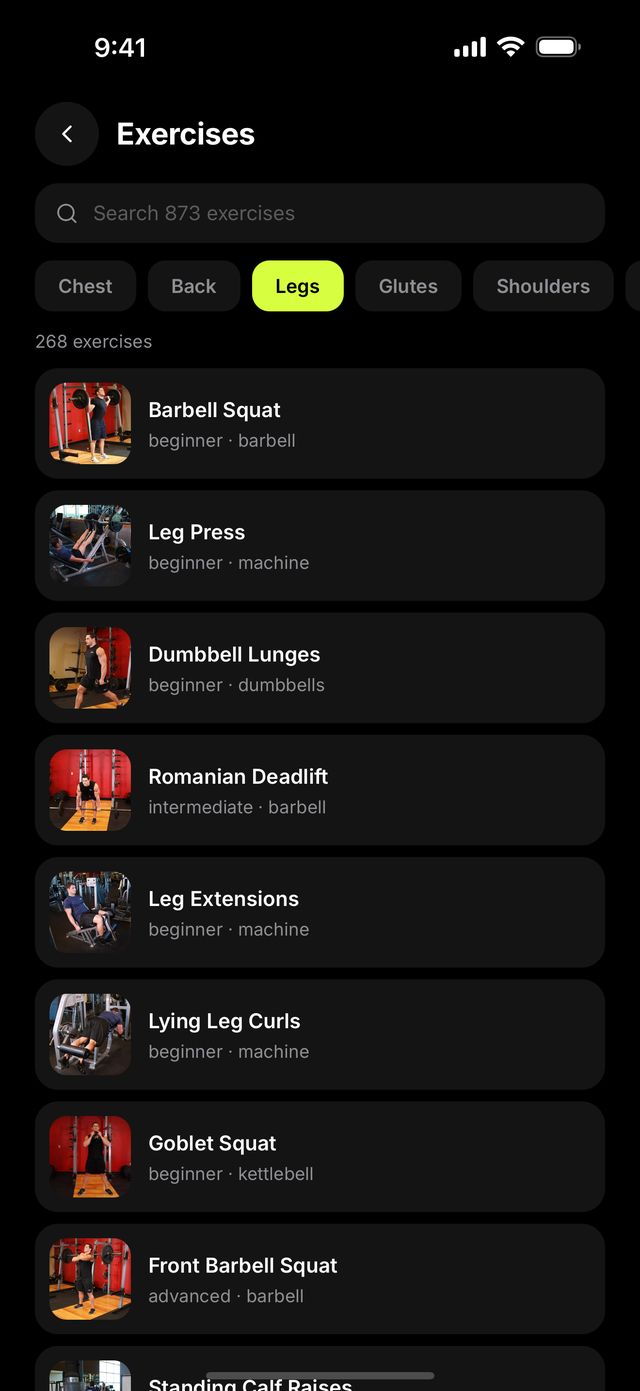
The app ships 873 exercises with photos and step-by-step instructions, plus level, mechanic, equipment and primary and secondary muscles. Studios group them by body part: chest, back, legs, glutes, shoulders, arms, core, cardio, and a no-equipment studio for training at home. The best known movements come first, matched to the experience level you chose, and a search box covers the whole library.
The numbers: 310 bodyweight, 179 barbell, 123 dumbbell, 81 cable, 67 machine, 53 kettlebell and 20 band exercises, plus medicine ball, exercise ball and foam roller entries. The same library is on this site at /exercises/, by muscle or equipment.
A library you actually use
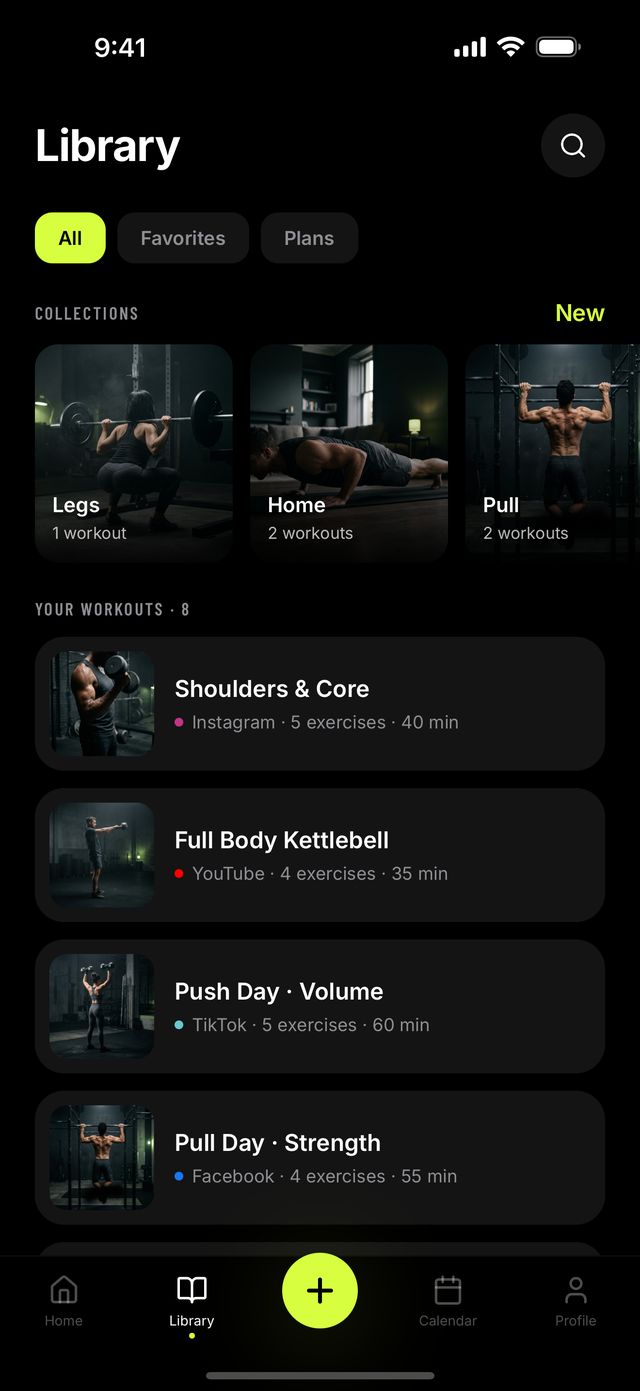
Every saved workout is searchable and has its own cover photo, chosen from the kind of training it is. Group workouts into collections (Push, Legs, Home, whatever fits), star favorites, and filter between all workouts, favorites and plans. A manual editor builds workouts from scratch for the ones that never came from a video, with sets, reps, weight and rest for every exercise.
Free includes 1 collection and 5 imports a month. GymPilot Pro makes both unlimited.
Calendar, reminders and streaks
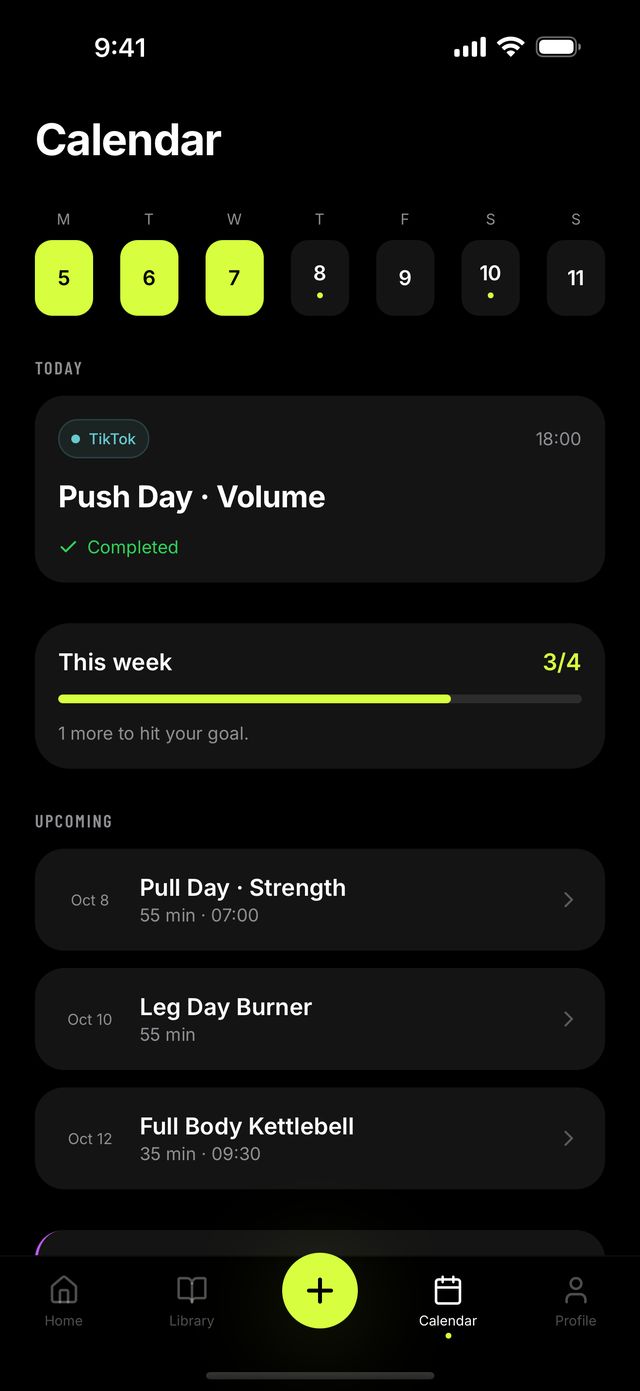
Put workouts on the calendar and see the week ahead: a week strip, today's session and what comes next. Move a workout when life happens. Add a reminder to a scheduled workout, and turn on streak reminders in Settings if you want a nudge on a day you have not trained yet.
Every finished session is logged with its date. GymPilot fills in your week against the number of days you said you train, counts your streak, and marks milestones on your profile as you earn them. The calendar, history and streaks are free.
Plan Builder
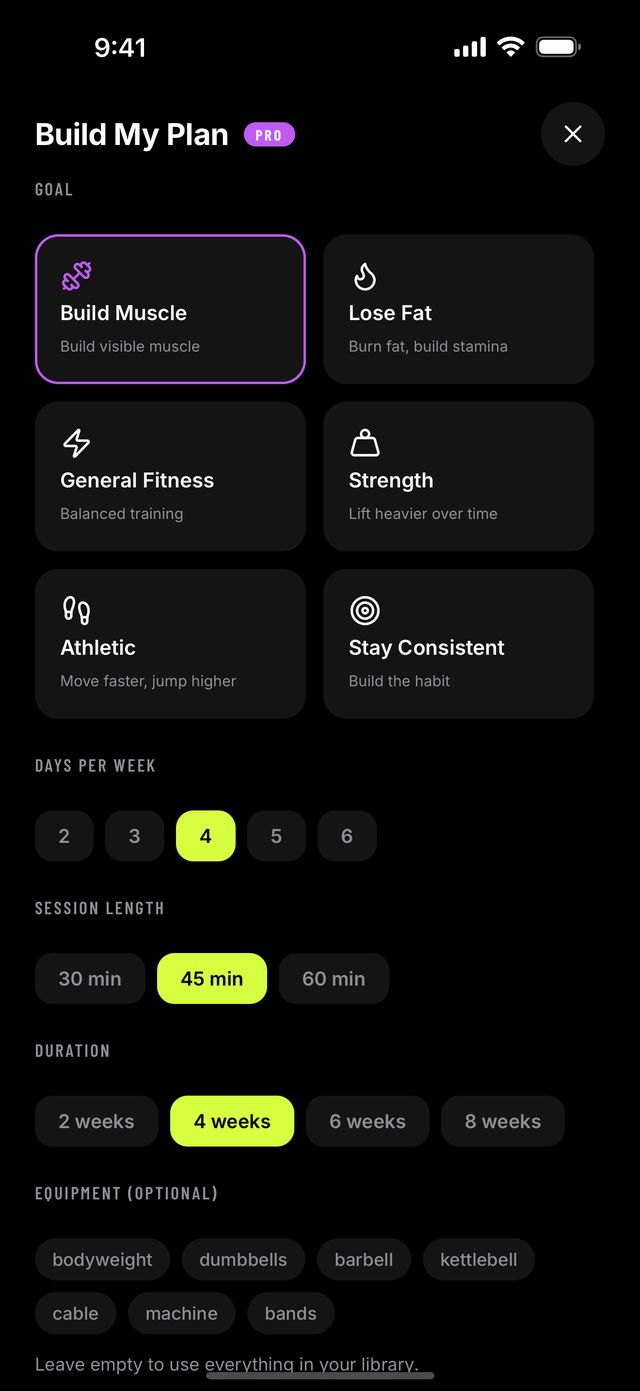
Tell it your goal (build muscle, lose fat, strength, general fitness, athletic or staying consistent), how many days a week you train, how long a session should be (30, 45 or 60 minutes), how many weeks the plan should run (two to eight), and what equipment you have. Plan Builder arranges your own saved workouts into that plan, with a focus and a short note for each week, and you can put the whole plan on your calendar in one tap. It needs a few saved workouts to work from, and it starts from the goal and level you gave when you set up the app. Plan Builder is part of GymPilot Pro.
A short start
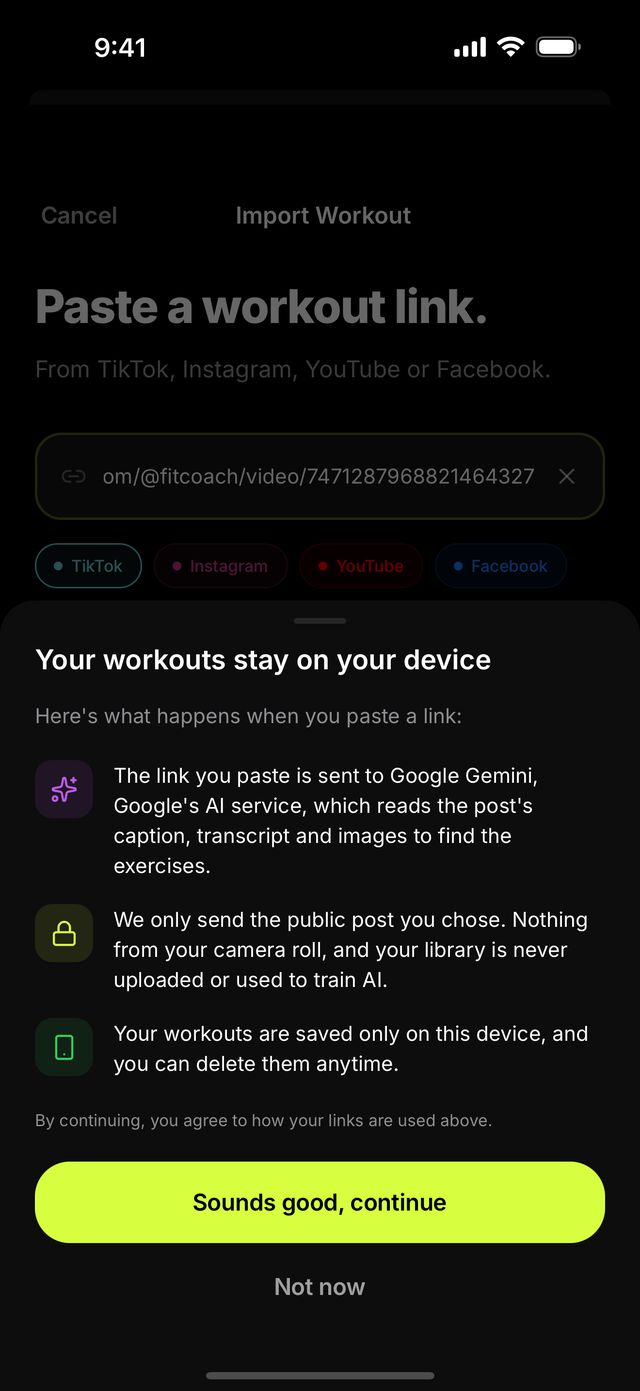
The first time you open GymPilot it asks four quick questions: your goal, your experience, where you train and how many days a week. Each one is a tap, and each can be skipped. Then it asks for a workout link. Before anything is analyzed, the same screen says that the link will be sent to Google Gemini, and the button reads Agree and analyze. You can also skip straight to the app and import later. Your answers set your weekly target, the order of the Studios and the defaults in Plan Builder, and you can change them in Settings.
Privacy, in one paragraph
Local-first and anonymous-first. No account, no sign-in, no cloud sync in the current version. No camera or photo-library access. Only the link you paste leaves the device, to our server and on to Google Gemini, and nothing is kept afterwards. An optional App Lock uses Face ID, which iOS handles; the app never sees your face data. Purchases go through RevenueCat and Apple. The privacy policy has the detail.
Platforms
Built for iPhone, and it also runs on iPad. Dark mode only. There is no Android version and no web app.
Not affiliated with, endorsed by, or sponsored by TikTok, Instagram, YouTube or Facebook.